Transform Data Type
Camel supports the Message Translator from the EIP patterns .
How can systems using different data formats communicate with each other using messaging?
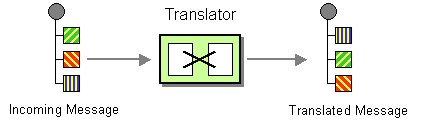
Use a special filter, a Message Translator, between other filters or applications to translate one data format into another.
The Message Translator can be done in different ways in Camel:
-
Using template-based Components , with the template being the source for how the message is translated
-
Messages can also be transformed using Data Format to marshal and unmarshal messages in different encodings.
-
Using data type based transformation using Transform DataType
This page is documenting the last approach by using Transform Data Type EIP.
Options
The Transform Data Type eip supports 0 options, which are listed below.
| Name | Description | Default | Type |
|---|---|---|---|
|
note |
Sets the note of this node. |
String |
|
|
description |
Sets the description of this node. |
String |
|
|
disabled |
Disables this EIP from the route. |
false |
Boolean |
|
fromType |
From type used in data type transformation. |
String |
|
|
toType |
Required To type used as a target data type in the transformation. |
String |
Using Transform DataType EIP
The
Transform DataType
references
a given from/to data type (
org.apache.camel.spi.DataType
).
-
Java
-
XML
-
YAML
from("direct:cheese")
    .transformDataType("myDataType")
    .to("log:hello");
<route>
<from uri="direct:cheese"/>
<transformDataType toType="myDataType"/>
<to uri="log:hello"/>
</route>- from:
uri: direct:cheese
steps:
- transformDataType:
toType: myDataType
- to:
uri: log:hello
The example above defines the
Transform
DataType
EIP that uses a target data type
myDataType
.
The given data type may reference a
Transformer
that
is able to handle the data type transformation.
Users may also specify
fromType
in
order to reference a very specific
transformation from a given data type to a given
data type.